
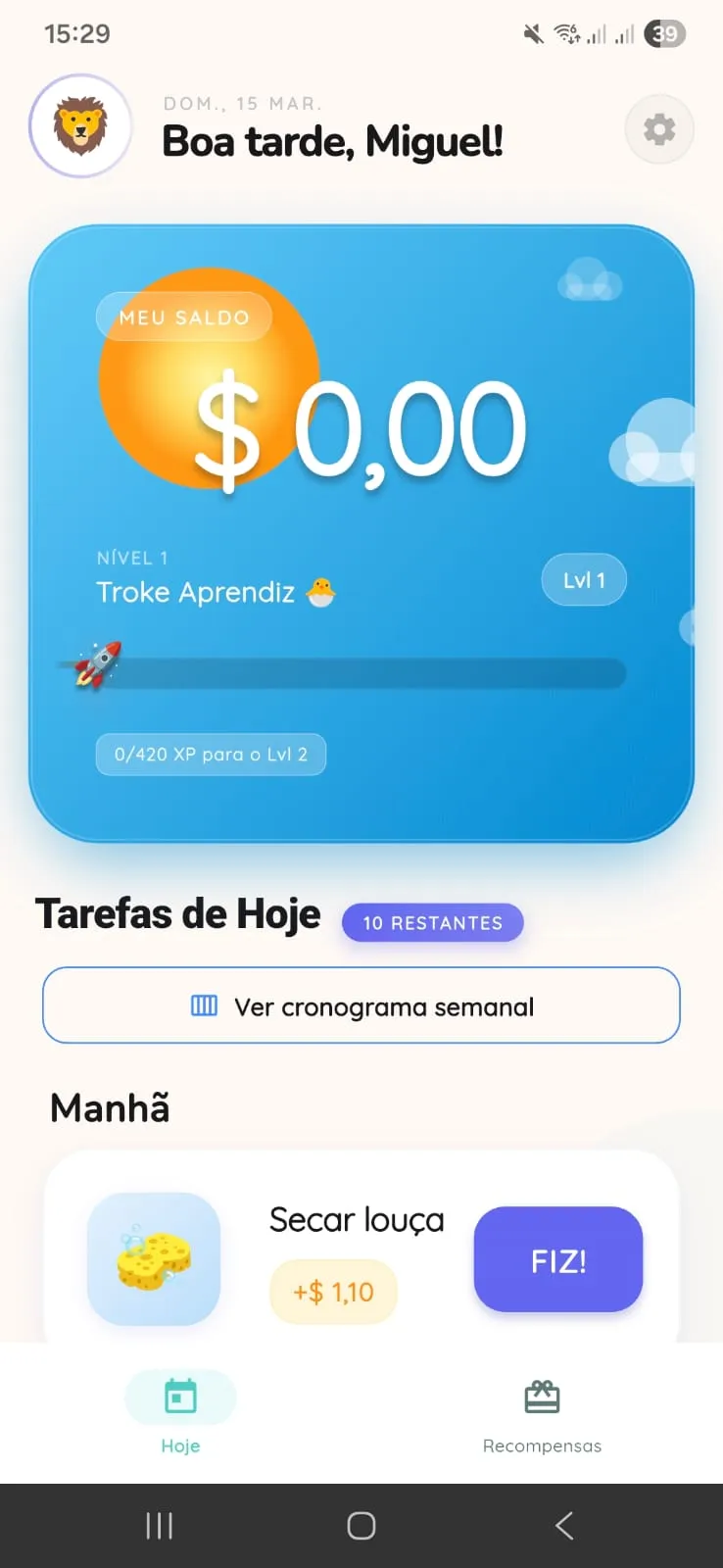
01
Child home
The child opens the app and sees balance, today chores, and the routine that already belongs to the day.
Troke Kids separates adult decision-making from the child experience. The result is a clear family routine flow: set up, complete, review, and deliver.
Real flow in 5 screens
These screens show the full path: the child follows the day, the adult reviews it, the photo supports approval, the balance updates, and the reward gets closer.
01
The child opens the app and sees balance, today chores, and the routine that already belongs to the day.
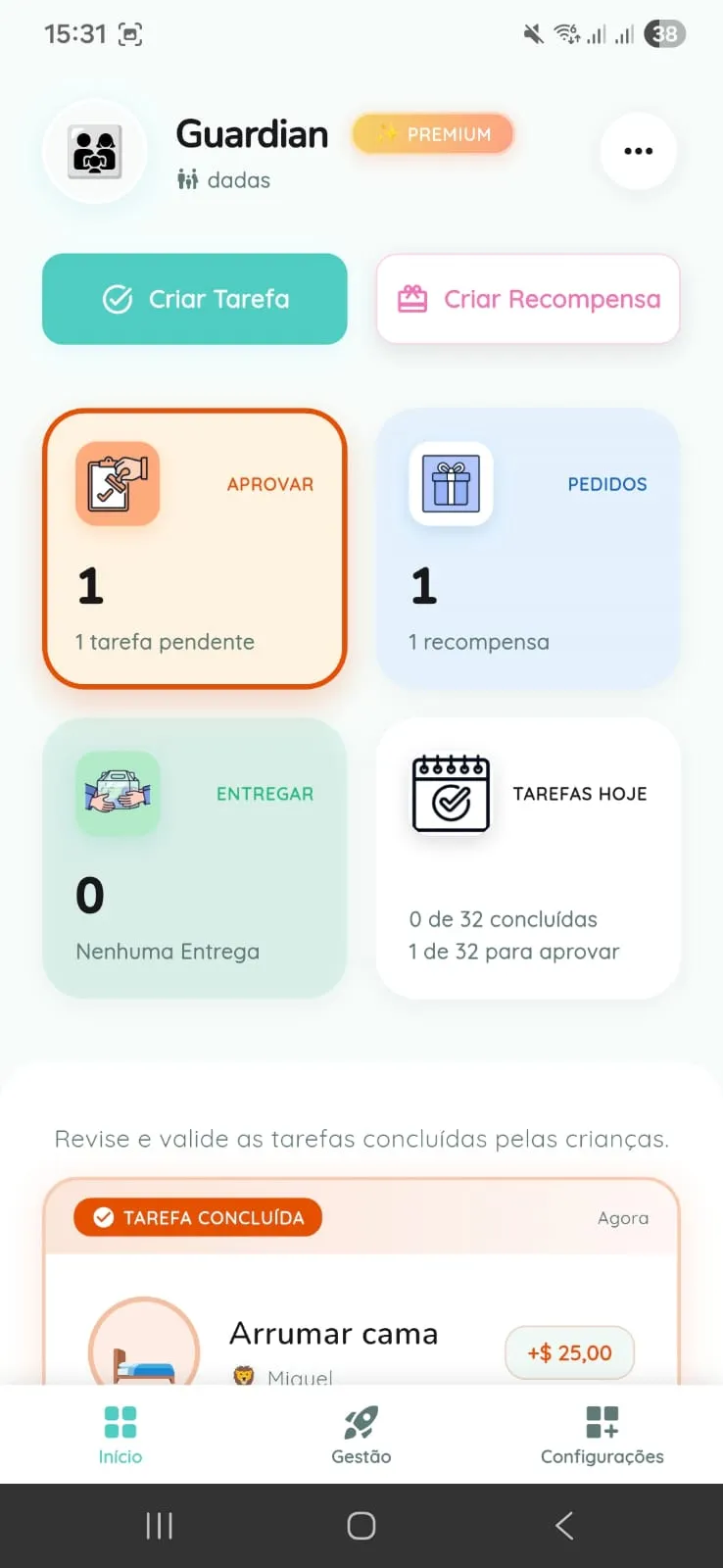
02
The adult follows what needs to be created, reviewed, and approved without mixing it with the child flow.
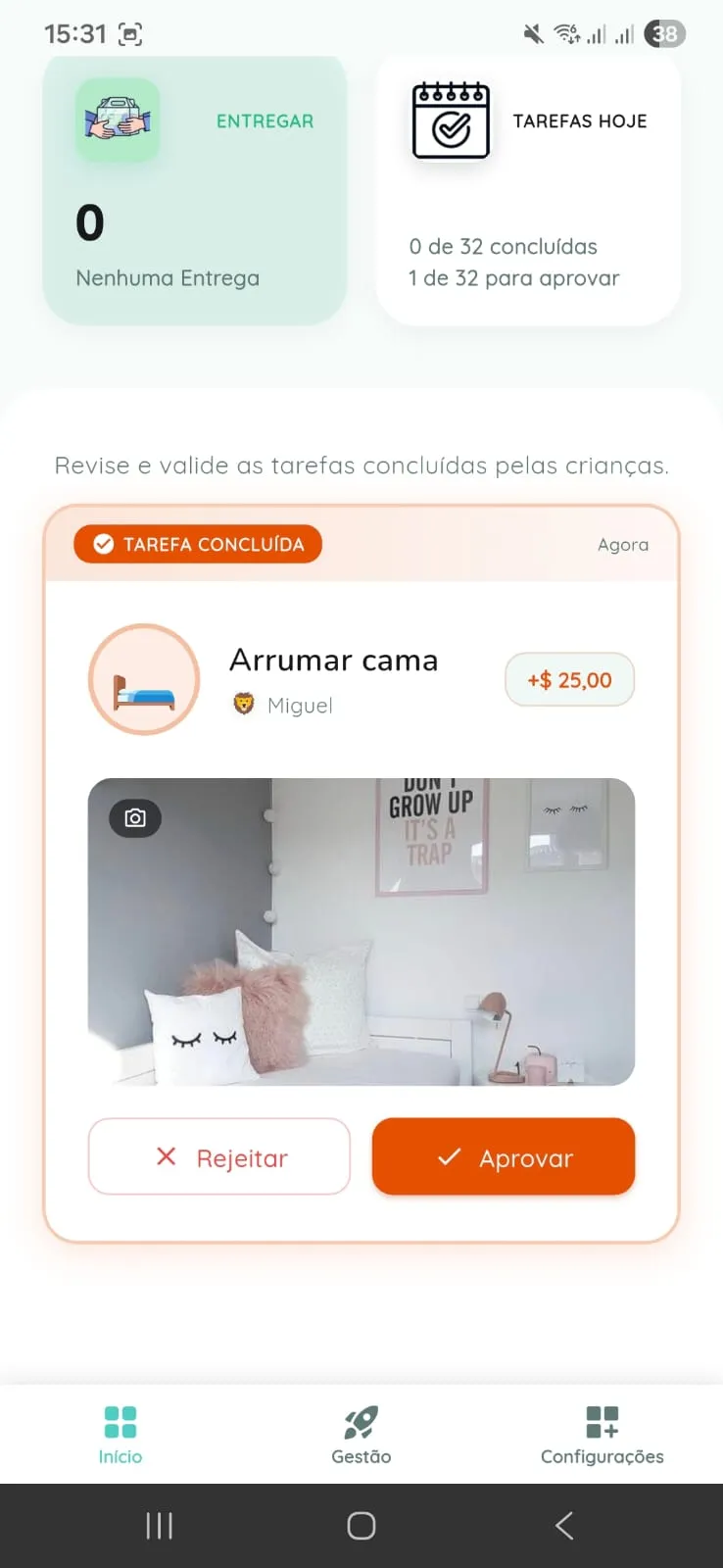
03
When the family enables photo proof, the adult can validate the chore with more confidence.

04
After approval, the child sees the value added and understands the result of the effort.

05
The child sees how much is left before redeeming and stays motivated by a clear goal.
From setup to request
The app helps most when the family stops relying on scattered reminders and starts following the routine with more clarity.
Creates the group, adds kids, organizes chores and rewards, and defines sensitive controls such as PIN and access.
On Free, up to 3 recurring chores per child are included; on Premium, extra recurring chores, suggested routines, caregiver, and additional guardian are added.
Inside Kid Mode, the child sees what needs to be done, follows balance, and records chore completion without entering the adult area.
If the family enables it, a chore can include photo proof using the device gallery.
Approvals and rejections happen in the adult area. This prevents the child flow from becoming self-approval or unrestricted access.
When a caregiver exists, that person operates within the scope defined by the family and, when applicable, only for assigned children.
An approved chore updates balance inside the app. Then the child can request a reward, and fulfillment happens off-screen by the family.
The app tracks the agreement, but it does not replace adult judgment or automate real-world delivery.
Who does what
When each person understands their role, the routine feels lighter and families avoid confusion while following chores and rewards.
Guardian
Centralizes sensitive family decisions, handles approvals, manages rewards, and defines the limits of child use.
Caregiver
Helps with the daily flow inside the scope allowed by the family, without taking over every group control.
Child
Sees chores, balance, requests, and progress inside a mode separated from Parent Mode.
What changes by plan
The goal here is to show, in simple terms, what changes in daily life when a family starts on Free and later needs more support.
On Free
On Premium
Important boundaries
The app tracks balance and reward requests, but delivery happens in real life by the family.
The child flow is separated from the adult environment, and Parent Mode can be protected with a PIN.
When adult collaboration exists, scope stays limited to what the family configured.
The FAQ now covers availability, safety, roles, photo proof, and the difference between plans.