01
Child home
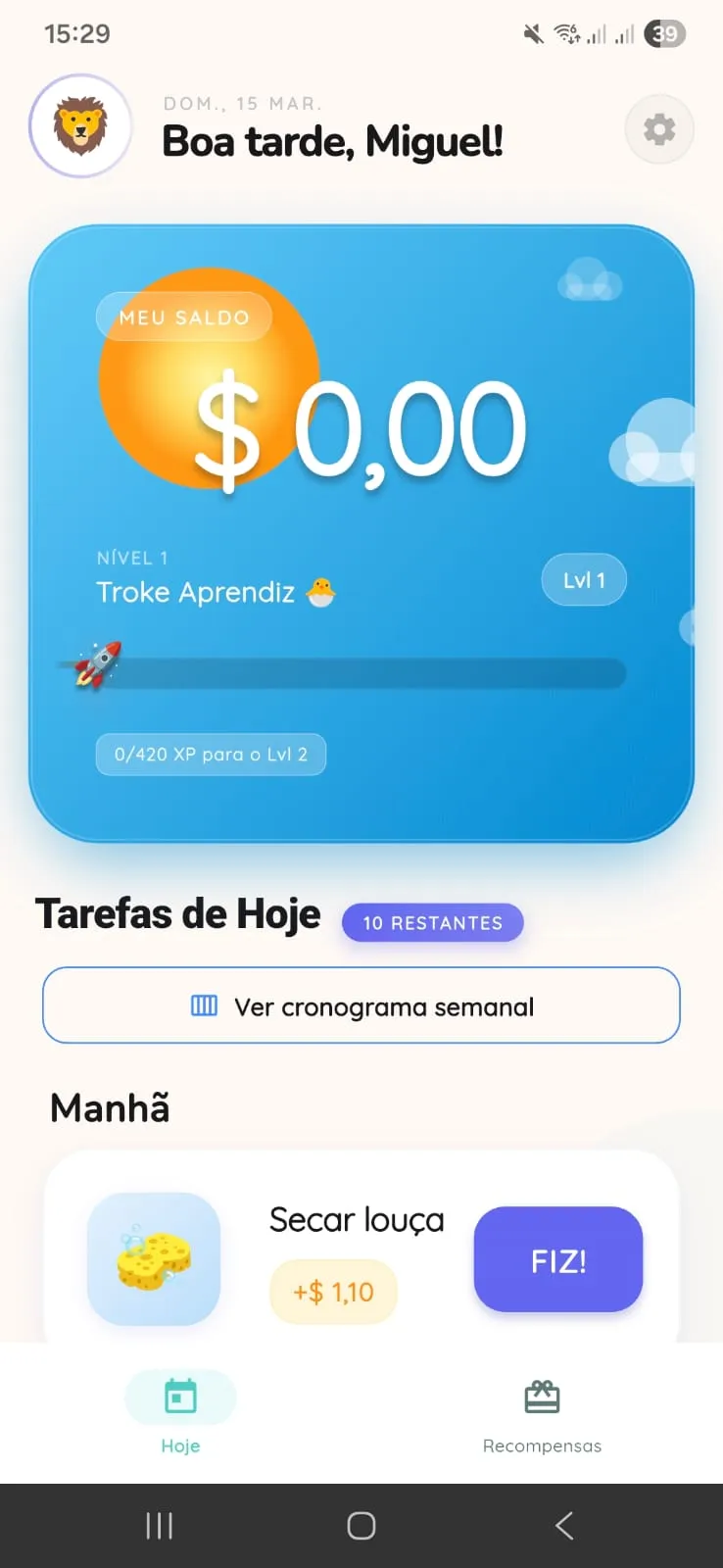
The child opens the app and sees balance, today chores, and the routine that already belongs to the day.
Kids see their chores, parents approve each completion, and the family follows credits through to the agreed reward.
The download page brings together the official installation path, support, and the product public documents.
✅ Approved chore became credit
🎁 Almost there for the reward
Real flow in 5 screens
These screens show the full path: the child follows the day, the adult reviews it, the photo supports approval, the balance updates, and the reward gets closer.
01
The child opens the app and sees balance, today chores, and the routine that already belongs to the day.
02
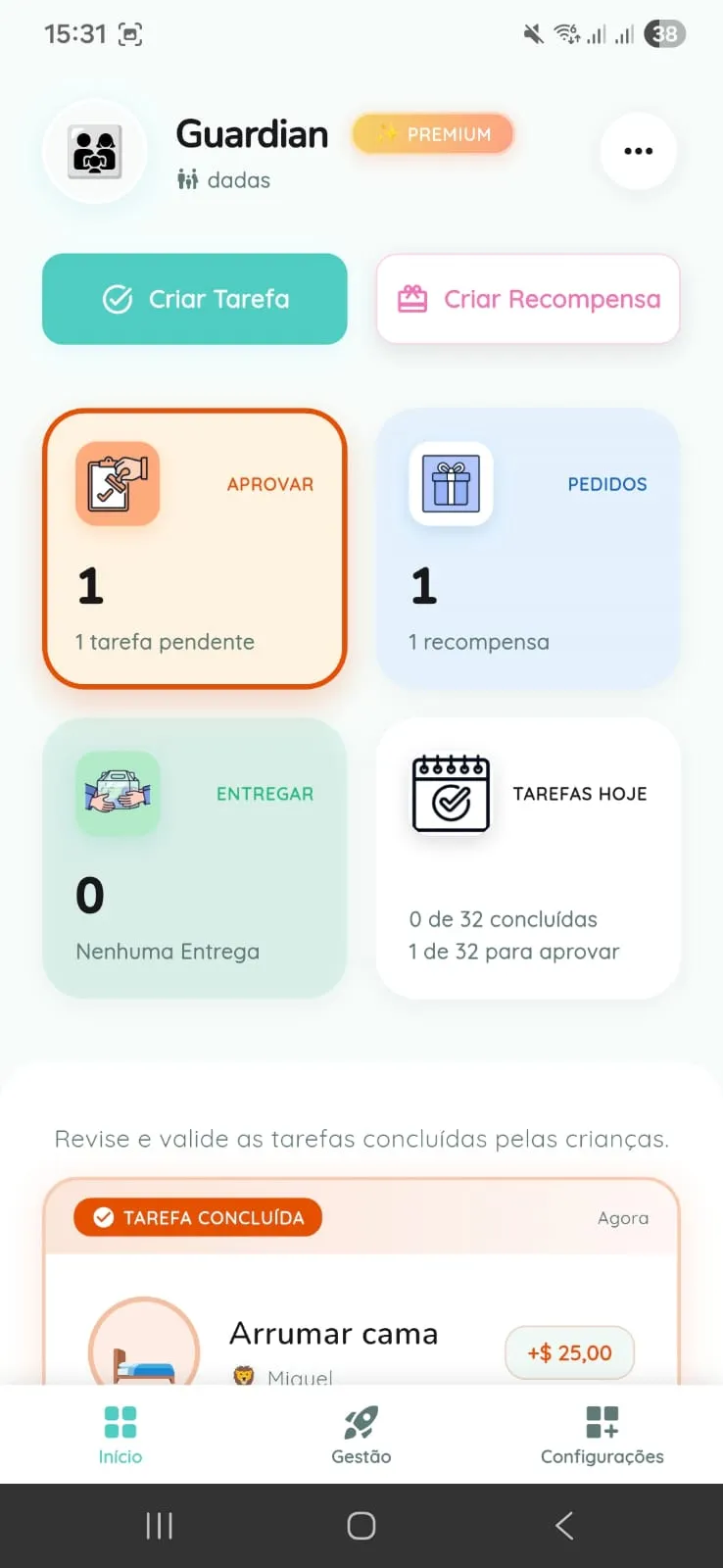
The adult follows what needs to be created, reviewed, and approved without mixing it with the child flow.
03
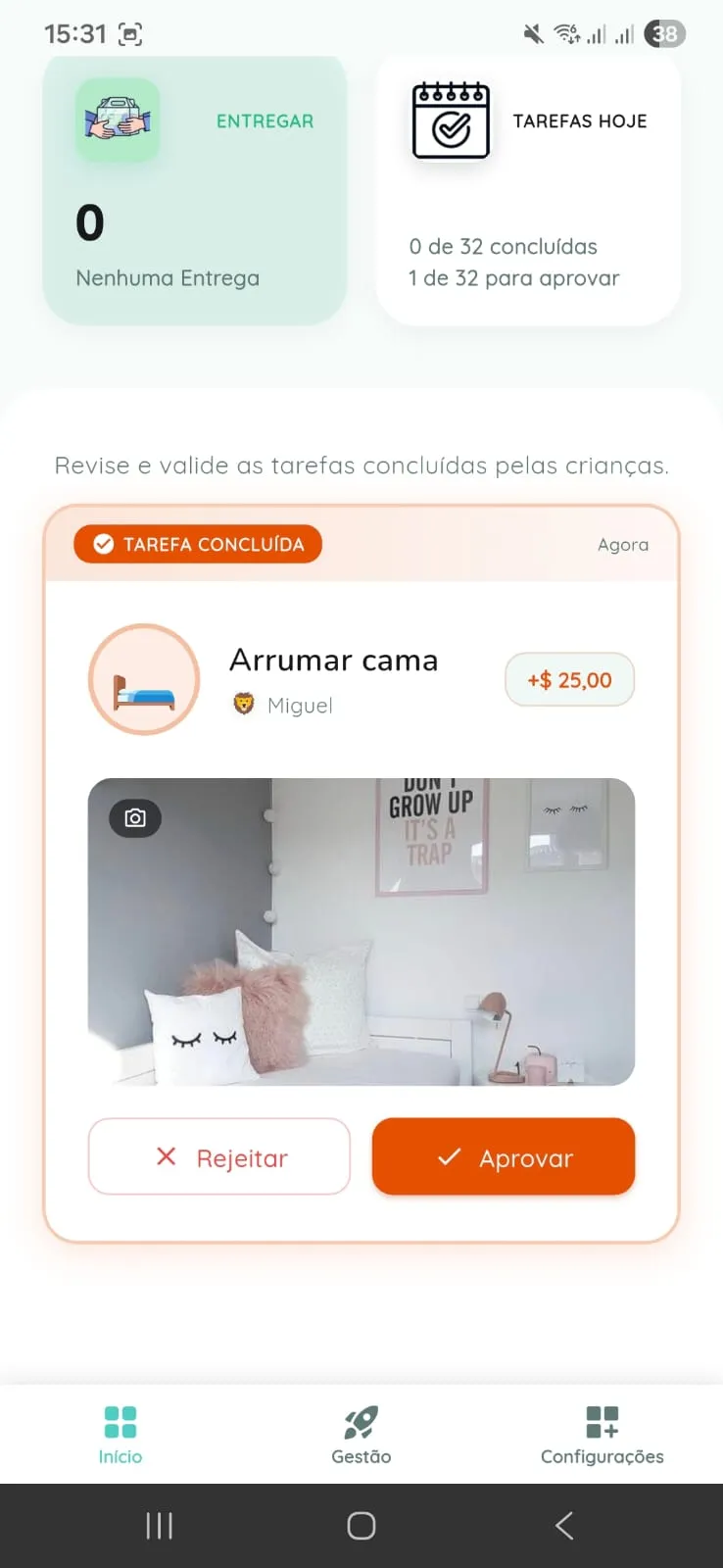
When the family enables photo proof, the adult can validate the chore with more confidence.

04
After approval, the child sees the value added and understands the result of the effort.
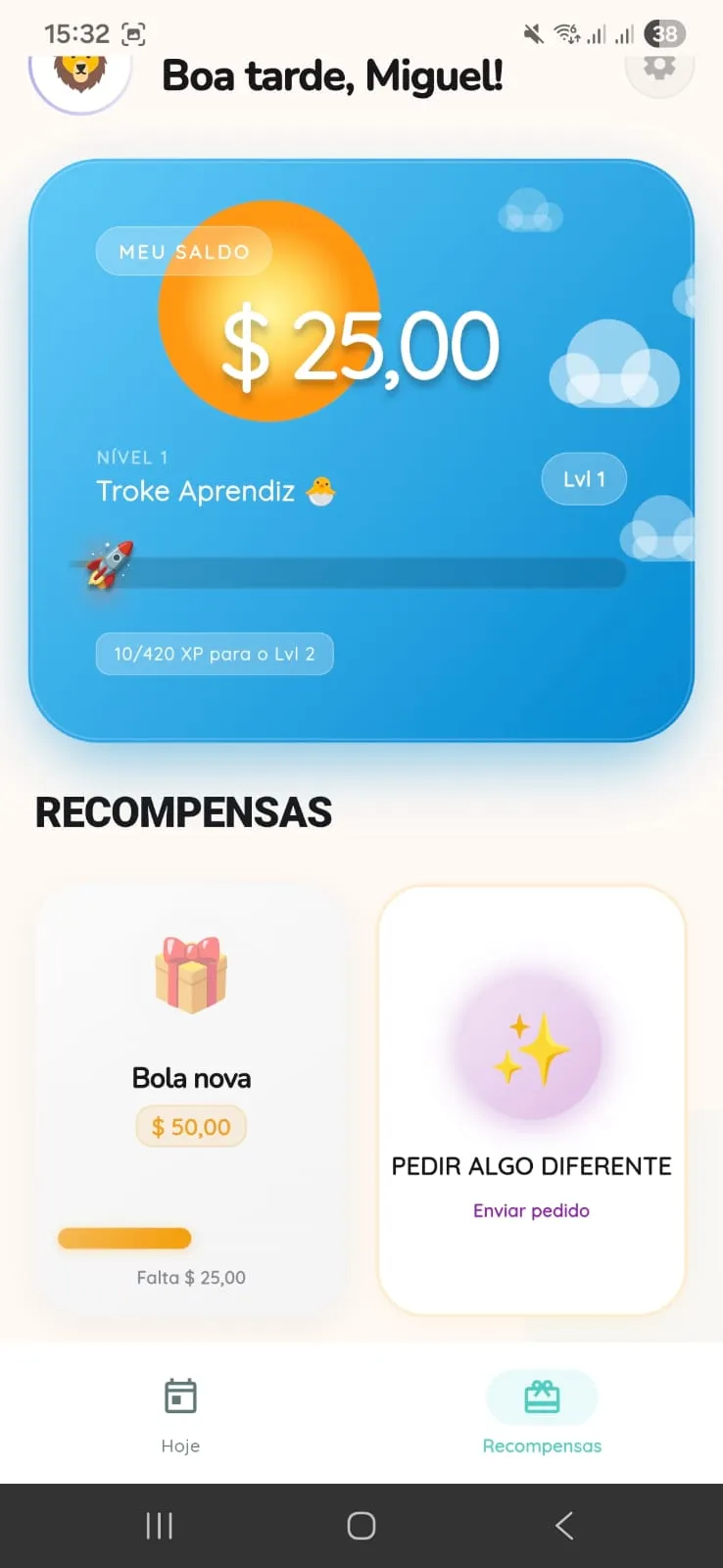
05
The child sees how much is left before redeeming and stays motivated by a clear goal.
Quick answers
A kids chore app where the child follows the routine, parents approve completions, and the family agrees on rewards.
For families with guardians, caregivers, and children who want clearer chores, approvals, and rewards.
An approved chore turns into credits in the app. Then the child can request a reward, and the family delivers it in real life.
Two sides of the app
In practice, adults handle rules and structure. Kids see only what they need to do now, without getting lost in settings and family decisions.
Parent Mode
The adult area concentrates sensitive settings, history, approvals, and the structure that keeps the family routine organized.
Kid Mode
Kids do not need to navigate settings. They enter a reduced flow built to show what to do and what they have already earned.
Each person has a role
That helps avoid confusion at home: each person understands their role without mixing authority, support, and the child routine.
Guardian
Creates kids, manages chores, rewards, consent, and the most sensitive family controls.
Caregiver
Acts only within the scope allowed by the family and, when applicable, only for assigned children.
Child
Follows chores, balance, and reward requests inside a child mode separated from Parent Mode.
How it works day to day
Family life feels lighter when the agreement is simple: the family organizes, the child completes, the adult confirms, and the reward stays clear.
Guardians create chores and rewards. On Free, they can keep up to 3 recurring chores per child. On premium, extra layers appear, such as the complete weekly schedule, caregiver, and additional guardian.
Inside Kid Mode, the child follows what needs to be done, records completion, and can attach photo proof if the feature is active.
Approvals and rejections happen in the adult area, protected by PIN and respecting the correct scope for guardians and caregivers.
An approved chore updates balance inside the app. Then the child can request a reward, and fulfillment happens in real life by the family.
Plans in practical terms
Each plan fits a different stage of family life. The goal here is to show, in simple terms, what changes in everyday use.
Free plan
Premium plan
Premium makes sense when the routine needs more recurrence, more organization, and more shared support between adults.
Safety and privacy
Parents and caregivers need to know where the controls live and how child data is handled inside the app.
The central family account should be created and managed by an adult.
A child does not enter Parent Mode without the configured controls.
The feature depends on family activation and uses the device gallery.
Collaboration exists, but not every adult becomes a full family admin.
The current privacy policy states that children data is not used for targeted advertising.
Next step
Open the download page, review the step-by-step flow, and use the FAQ for the most common questions.